

Give Nautilus file manager the ‘Computer’ view it lacks
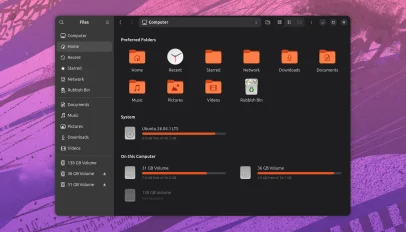 The Nautilus file manager is great for browsing your files and folders, but it lacks a dedicated way to see all your drives a how much space is left on each – but you can add one. Nautilus My Computer is a third-party view for GNOME Files providing a centralised page listing drives, with storage usage bars to show which mounts, volumes, partitions, etc., have room to spare and which are getting full. Drives can be interacted with like folders, so double-click on one to enter it or right-click to access options to open it in new tab, or window or to unmount or eject, etc., depending on the drive/mount type. A ‘Preferred Folders’ section sits at […]
You’re reading Give Nautilus file manager the ‘Computer’ view it lacks, a blog post from OMG! Ubuntu. Do not reproduce elsewhere without permission.

 Audacious 4.6.2 lets you drop Winamp skin files onto the Qt window to install them, and adds keyboard navigation for toolbar buttons.
 BleachBit, the free, open-source and cross-platform system cleaning utility has a new maintenance release out – with support for Ubuntu 26.10. BleachBit 6.0.6 ships with new cleaners for the Helium browser and Docker (as well as its AI assistant). This update also delivers a set of speed-ups for app startup time, deep scan, file deletion and file wiping, the latter now wiping in 512 KiB blocks rather than 4 KiB. Existing cleaners are improved. Stale crash reports, GPU caches and session files for Claude, VS Code-based editors and Chromium can (optionally and variously) be expunged. LibreWolf cleaning now covers .deb […]
 NordVPN is updating its Linux app to offer a “cleaner, simpler way to manage VPN connections” from the command line. The NordVPN 6.0 update, which is coming soon and not yet out, “cuts down” the amount of commands which “overlap”. The company say this will make it easier for users to enable and configure VPN settings. Among the changes, NordVPN 6.0 combines protocol and technology settings in a nordvpn set protocol command, while obfuscation is now handled by NordWhisper, rather than a separate setting. And now that standard servers support P2P traffic, there’s no longer any need to create a […]
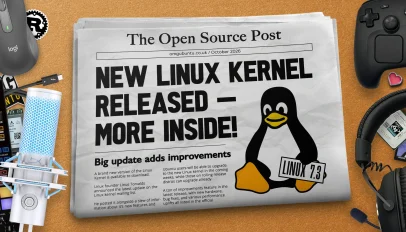 Linux 7.3 is out with faster ext4, better performance on AMD GPUs with low VRAM and a new cgroup scheduling mode. 2026 Steam Controller driver debuts.
 A new version of the Tiling Shell GNOME extension is out, adding support for GNOME 51 and a faster way to tile app windows using nothing but your mouse. Tiling Shell v18.0 lets you use your right mouse button for tiling system activation. It’s feature fans of Tiling Shell had requested, many accustomed to it from Windows’ PowerToys’ FancyZones. You click your left button to grab and drag the window then, with it held, hold the right mouse button to trigger the on-screen tiling layout. Release the left button over a zone and the window snaps to it – no […]