
SRV networking -reload error in Proxmox
While updating the network settings in a node, you may encounter the following error:
eth0 : error: eth0: cmd ‘/sbin/dhclient -pf /run/dhclient.eth0.pid -lf /var/lib/dhcp/dhclient.eth0.leases eth0’ failed: returned 1
TASK ERROR: command ‘ifreload -a’ failed: exit code 1
To fix it, go to /etc/network/interfaces.d, edit the file “setup”, comment out the following two lines:
auto eth0
iface eth0 inet dhcp
How to run Zwift on Linux?
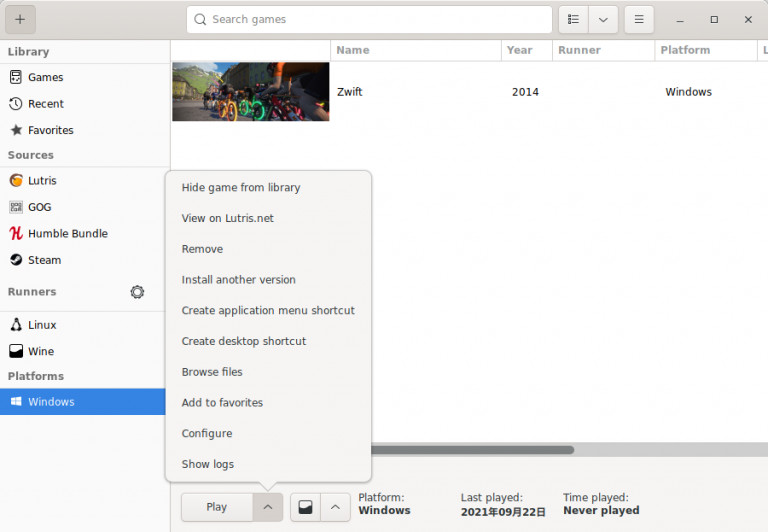
Follow the instructions from https://zwiftinsider.com/zwift-on-linux/.
Add one more procedure:
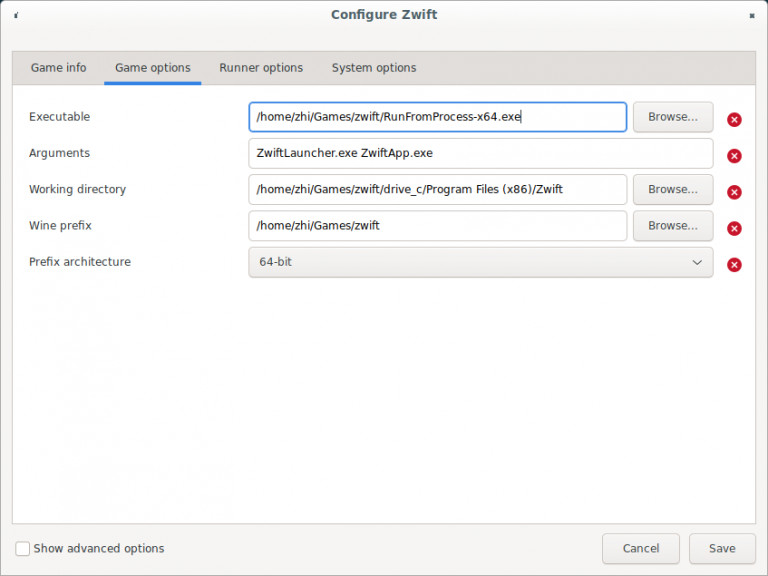
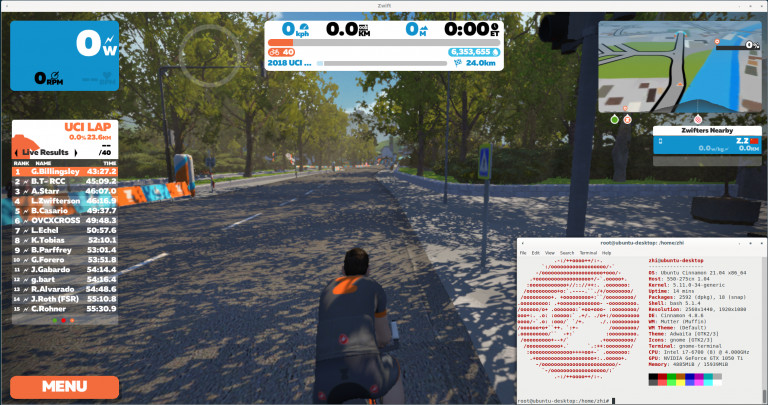
Click “Configure” and change the executable path to “RunFromProcess-x64.exe” then save. Enjoy zwifting and Ride on!
How to remove cluster from proxmox?
Execute the following commands via proxmox shell or ssh terminal(recommened). In this way you don’t have to empty all VMs from a node before removing a cluster from it.
# sudo systemctl restart pve-cluster
# sudo pmxcfs -l
[main] notice: forcing local mode (although corosync.conf exists)
# sudo rm -f /etc/pve/cluster.conf /etc/pve/corosync.conf
# sudo rm -f /var/lib/pve-cluster/corosync.authkey
# sudo systemctl stop pve-cluster
# sudo rm /var/lib/pve-cluster/.pmxcfs.lockfile
# sudo systemctl restart pve-cluster
# sudo systemctl restart pvedaemon
# sudo systemctl restart pveproxy
# sudo systemctl restart pvestatdWhat is the difference between “local” and “local-lvm” on Proxmox VE (PVE)? Which to use? Why use local/local-lvm?
By default, after installation, PVE is configured with local and local-lvm storage locations for storing iso, vztmpl, backup, images etc.
As described on Proxmox wiki:
dir: localpath /var/lib/vzcontent iso,vztmpl,backup# default image store on LVM based installation
lvmthin: local-lvmthinpool datavgname pvecontent rootdir,images# default image store on ZFS based installation
zfspool: local-zfspool rpool/datasparsecontent images,rootdir
local
The path is /var/lib/vz
Note: vz is a folder
Available in PVE web gui as local
This is actually an folder on the filsystem which the PVE is installed on
local-lvm
The path is /dev/pve/data
Note: data is a file
Available in PVE web gui as local-lvm
This is actually a lvm-thin volume (lvm-thin volume is like a virtual disk in Windows e.g. VHD or VHDX in thin mode)
We can configure it to have 500GB of storage, though in fact it only takes the size of actual data it contains
Which one to use?
If we have dedicate data disk or NFS, it probably does not matter much.
If we do not have dedicated data disk or NFS and we are going to use the drive which PVE is installed on for our Containers (CT) and VMs, then here is the tips
If PVE is installed on EXT4 filesystem which does not have snapshot ability like ZFS etc. but we still want to use snapshot features from PVE for those VMs, use lvm-thin
If we have installed PVE on ZFS then this does not matter much as ZFS has built-in snapshot features and PVE supports that.
Other differences?
Since local is a folder on the filesystem, we can easily access it
local-lvm is a LVM volume just like VHD and VHDX, so there will be an extra mounting step before we can use/read/write the volume
If we hook the same hard drive on other devices to read/write data, to visualize the differences, the steps will be
local: 1.Connect the physical hard drive -> 2.Mount the physical hard drive -> 3.Begin to use
local-lvm: 1.Connect the physical hard drive -> 2.Mount the physical hard drive -> 3.Mount the LVM volume -> 4.Begin to use